
The Hidden Battle: Why Self-Published Authors Struggle With Book Cover Design
One of the most persistent and under-talked challenges indie authors face is the dilemma over book cover design: either pay a designer (expensive, unpredictable) or DIY (potentially time-consuming). Here are 5 Top Book Cover Software Options.
Shawn Conners
10/17/20254 min read

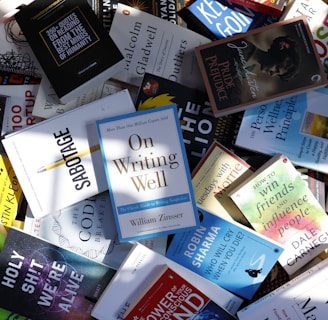
The Hidden Battle: Why Self-Published Authors Struggle With Book Cover Design
When you self-publish, the tagline should read: “You wear all the hats — and pay for all of them.” One of the most persistent and under-talked challenges indie authors face is the dilemma over book cover design: either pay a designer (expensive, unpredictable) or DIY (risky, time-consuming). This tug-of-war can make or break your book’s success.
In this article:
We’ll dig into the challenges self-published authors face when dealing with cover design costs or DIY efforts.
We’ll map out practical solutions.
We’ll spotlight the top DIY book cover software options.
Why Book Covers Matter
A book cover is the first impression, the marketing billboard, the packaging of your story. In the crowded digital marketplace, a weak cover suggests an amateur product—even if the writing is stellar. As Joel Friedlander argues, many DIY covers “are easy to spot” by experienced eyes. The Well-Fed Writer
Because readers often judge a book by its cover (yes, the cliché holds here), poor design or amateur errors can sabotage your click-through rate, sales potential, and brand credibility.
Key Challenges Facing Self-Published Authors
1. Budget vs. Quality Gap
Professional cover designers often charge hundreds to thousands of dollars. For authors just starting, advanced design fees eat into or exceed marketing budgets. Meanwhile, paying for subpar “cheap” covers can be a false economy (you lose credibility). Some indie authors on Reddit note:
“The problem with paying a cover designer is … they aren’t usually trained in marketing/book promo.” Reddit
2. Lack of Design Skill & Taste
Most writers are not graphic designers. Undertaking design demands knowledge of typography, visual hierarchy, color theory, composition, genre conventions—and often none of these are intuitive. Many DIY covers become “emotional projects” rather than market-smart covers. Creativindie+1
3. Time Drain & Opportunity Cost
Learning overly complicated software, sourcing stock images, tweaking layouts—this can potentially devour days with the wrong approach. That’s time taken away from writing, marketing, or improving other books. Authors often underestimate how long “just one more tweak” takes. There is a time to call it "done".
4. Technical & File Errors
Print specifications (bleed, spine width, resolution, color spaces) are unforgiving. A miscalculated spine width or mis-embedded font can lead to rejected files or poor print results. Many DIYers struggle with conversion to CMYK, exact dimensions, or flattening layers for print. Some software, particularly Prolifica make this effortless.
5. Blind Spots & Objectivity
You’re too close to your book. What looks “cool” to you may confuse or repel your target reader. You risk overloading the cover with metaphors or inside references that don’t communicate clearly to a neutral viewer. As Aliventures warns, authors “include all the elements of your book … but the cover doesn’t mean anything at all to a reader who knows nothing else.” aliventures.com
6. Scaling & Series Consistency
If you write a series, you’ll need consistent cover branding. DIYing separate covers at different times often leads to visual drift or mismatched styles—undermining the sense of cohesion. A designer might more easily enforce series branding. This is where Canva loses a bit of steam. Many of the premium options are a one shot deal. Purchasing everything again is expensive.
Realistic Solutions to the Cover Dilemma
Here’s a roadmap to help you avoid “cover paralysis” and get strong results—without going broke.
Start with a hybrid approach
Use a solid template-based tool (below) for a first draft, then hire a designer for polish or critique. It costs much less than full design, but gives you professional guardrails.Crowd source feedback & A/B tests
Use your friends, beta readers, or cover swap communities to get objective feedback on multiple designs before finalizing.Invest in a mini-course or critique
Rather than pay $600 for full design, pay for a 1-on-1 critique of your cover draft. A seasoned designer can spot major issues and suggest fixes you apply yourself.Bundle covers across books
If you plan multiple books, contract a designer for a set or choose book cover software which allows you to save templates and adjust for each book with a minimum amount of effort.Build knowledge gradually
Design a few covers and learn from mistakes. Your first cover may not be perfect—but each time your visual sense improves, your investment compounds. Save often!Prioritize basics over perfection
Nailing your hierarchy (title legible, author name clear, focal visual) matters more than perfect gradients or micro-adjustments. Don’t let the pursuit of “pixel perfection” delay your launch.
Tips When Using Any DIY Tool
Always start with correct dimensions, bleed, and spine info
Use high-resolution (300 dpi or more) images, ideally in CMYK or convertible format
Keep your font choices to 2–3 max, with strong contrast
Test your cover at small thumbnail sizes (e.g. 100 × 150 px) — readability is critical
Keep your genre and target reader in mind when choosing imagery
Save versions and backups — never overwrite working files
When possible, get a professional check before publishing
🔧 Top 5 DIY Book Cover Software Options for Indie Authors
Below are the best tools for self-published authors balancing design quality, creative control, and cost efficiency.
1. Canva
Best For / Key Features:
Beginners who want fast, attractive covers with drag-and-drop simplicity.
Pros:
Huge library of ready-made templates
Free tier available for basic designs
Cloud-based with easy collaboration options
Cons:
Many templates look generic or overused
Requires manual setup for print bleed and spine alignment
2. BookBrush
Best For / Key Features:
Authors who need tools tailored to book marketing and branding.
Pros:
Built specifically for authors
Includes 3D mockups and ad-creation tools
Pre-sized templates for print and eBook formats
Cons:
Full features require a paid subscription
Limited flexibility for advanced layout customization
3. Adobe Express
Best For / Key Features:
Writers who want professional results without learning Photoshop.
Pros:
High-quality, modern templates
Integrates with Adobe Creative Cloud for asset sharing
Strong font library and design control
Cons:
Some tools locked behind the paid version
Performance can vary with large browser projects
4. PosterMyWall
Best For / Key Features:
Quick, simple projects using pre-made templates.
Pros:
Genre-specific layouts available
Fast customization and export
Great for marketing graphics
Cons:
Template quality varies widely
Free downloads are low resolution
Image licensing must be verified for commercial use
5. Prolifica Book Cover Software
Best For / Key Features:
Indie authors wanting professional-level control with an easy learning curve.
Pros:
Genre-optimized templates
Easy to import images and assets.
One-time license — no recurring subscription
Auto-spine and layout calculations for print covers
Cons:
Not browser-based (requires installation)
Lacks some sophisticated tools available in Adobe Express
Final Thoughts
The quandary between paying professionals or a DIY is real—and many self-published authors stall or misstep here. But with a clear understanding of the risks, a smart hybrid approach, and leveraging the right tools (like Canva, BookBrush, PosterMyWall, or Prolifica), you can strike that perfect balance that is right for you. Good luck with your next project!
DIY Design - No Experience Required
Prolifica - Book Cover Software
Prolifica is book cover software for indie authors, self publishers, and entrepreneurs. Whether designing ebooks or print titles for Amazon KDP, IngramSpark, Digital2Digital or other platforms, Prolifica helps you make stunning book covers that can convert browsers into readers.
contact us
© 2025. All rights reserved